A GHL custom menu your team can read
A GHL custom menu renames, reorders and hides GoHighLevel’s navigation so each person sees only what their job needs, in your firm’s own words, as a sidebar, top bar or mega menu.
Thirty menu items, and a processor needs six
Stock GoHighLevel shows everyone everything. In a credit repair firm that means new hires click through marketing tools they never use, and clients who log in see a CRM instead of their file. A custom menu fixes both.
Owner and managers
Full menu, grouped under clear headings: Clients, Billing, Growth and Settings, so nothing important is buried.
Processors and support
Client Files, Messages, Enrolments and Tasks at the top. Marketing, Sites and automation builders hidden.
Clients and partners
Where clients or referral partners log in, a short menu with your own links, such as a help page or the agreement library.
Switch between GHL menu layouts
Pick a layout, a sub-menu style and a header, then use the menu inside the sample. Turn on the quick menu to see the floating shortcut bubble.
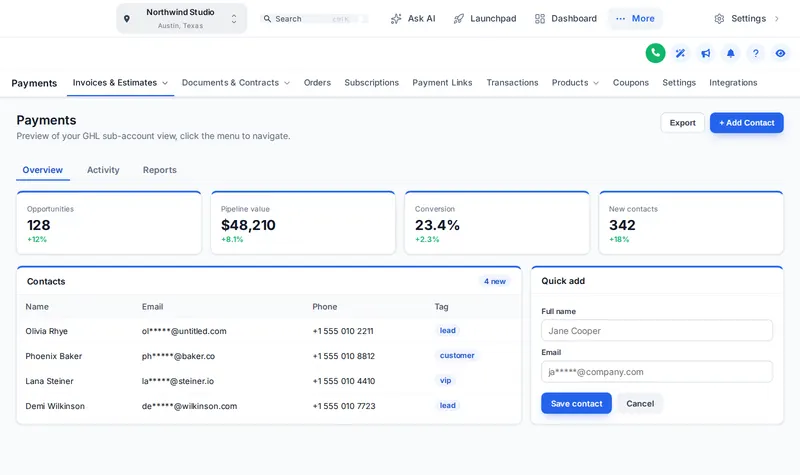
Layouts, sub-menus and headers
Mega styles available: Columns, Split, Cascade, Tiles, Tabs, Icon rail, Accordion, Wide.
From role list to finished menu
Map the roles
List who uses the portal: owner, processors, sales, and clients if they log in, and the pages each one really needs.
Arrange the menu
In the menu editor, rename, reorder and hide items, group them under headings and add your own links, for example to your agreement library or help page.
Pick the layout
Sidebar, right dock or top bar in one of 8 styles, with sub-menus as a list or one of 8 mega menu styles, and a header style.
Save and check
Preview each role in the editor, then save. Agency and sub-account views update on their next page load, with no re-install.
Mega menus start at Score Builder
Sidebar or top-bar layout is part of every account, from Credit Starter.
GHL custom menu questions
Yes. The customizer can hide any item from the sidebar or top bar for the agency view or sub-accounts. Hiding removes it from the menu; to block access entirely, combine it with GoHighLevel’s own user permissions.
In the customizer menu editor each item gets its own label and icon, so you can rename them in your firm’s language, for example Opportunities to Enrolments and Contacts to Client Files.
A mega menu opens a section’s sub-pages in a wide panel instead of a short list. The customizer has 8 styles, from columns and tiles to tabs, so sections such as Payments or Sites are quicker to navigate.
Yes. The menu can stay on the left, dock on the right or become a top bar in 8 styles, with an option to merge the header into it. Try each in the preview above.
No. New items GoHighLevel adds are appended automatically unless you switch that off, and clicks are passed to GoHighLevel’s own links, so navigation keeps working.
Yes. The agency view and sub-accounts each have their own item list and settings, so your team and your clients each see what suits them.
An optional bubble, dock or side rail with the pages people use most, in 8 designs. Users can drag it anywhere and it remembers where they left it.
Every account can switch between a sidebar and a top-bar layout, starting with Credit Starter. Mega menus and the floating quick menu need Score Builder ($487) or Prime Portal.
No. You arrange it yourself in the live editor and preview it before saving. You customize and install it yourself. Help docs and our support team are there if you get stuck.
Explore the other modules
Every module lives in the same GHL White-Label Customizer account. Compare what each package unlocks on the customizer pricing page.
A menu that speaks credit repair
Score Builder adds mega menus, the floating quick menu, the dashboard and pipeline designers and contact actions on top of every theme and login design.
Runs on the GHL Customer Care customizer platform. GoHighLevel and HighLevel are trademarks of their owner; this is an independent product, not affiliated with or endorsed by HighLevel. GHL White-Label Customizer changes how GoHighLevel looks for your team and clients; it does not change your data, workflows or CROA obligations, and nothing on this page is credit, legal or financial advice. Prices last updated 2026-10-02.